Try To Reach The Abyss Controls & How to Play
Every essential input and habit — from first boarding to torpedo fire and outpost exits.
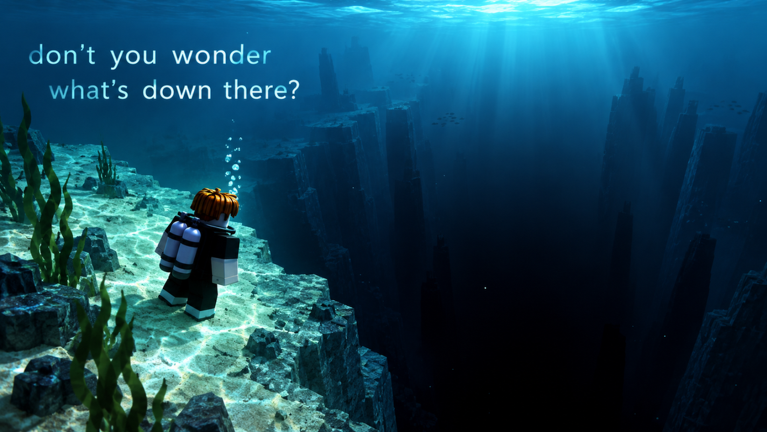
How to play (official loop, expanded)
Try To Reach The Abyss teaches with a short action list. This page turns that list into muscle memory so you stop losing minutes to missed exits, ignored markers, or confused combat. Pair it with Getting Started on day one and with Outposts & Speed once farming becomes the bottleneck.
Core steps you will repeat all session:
- Spawn your submarine in the reef zone.
- Hop in and take pilot control.
- Follow the outpost marker through increasingly dark water.
- Step OUT of the submarine at outposts to earn Speed.
- Spend upgrade points on Speed gains, hull, and torpedoes.
- Level up, move faster, and evolve every five levels.
- Optionally explore for Research Data, fight with torpedoes, then push to the next outpost for safety and another free upgrade point.
If you only remember one sentence: the marker gets you there; stepping out banks the run.
Boarding and disembarking
Entering the submarine
Approach the hatch or seat interaction prompt and enter. Wait a beat for camera and control focus to settle before slamming movement keys. On busy 12-player servers, give other captains space around shared outpost docks so you do not block their exits.
Exiting on purpose
Exiting is not a panic button — it is a progression action at outposts. When the UI or world tells you that you have arrived, leave the vehicle, collect Speed, then decide whether to upgrade before re-boarding. Habitual pilots who never exit stall their Speed curve even if their steering is perfect.
Practice a clean cycle: arrive → full stop → exit → confirm Speed gain → open upgrades if you have points → re-enter → throttle toward the next marker.
Movement and camera habits
Exact keybinds follow your Roblox device settings (keyboard, gamepad, or touch). Regardless of device, use these habits:
- Throttle smoothly. Jerky input scrapes reefs and burns hull before monsters ever appear.
- Steer with the marker centered when learning. Free-look for scenery only after you can hold a heading.
- Anticipate depth changes. The fantasy of the game is the light-to-dark gradient; your eyes should track silhouette edges early so terrain does not surprise you.
- Stop fully at outposts. Coasting past the safe zone while still seated is how people “visit” an outpost without banking anything.
If controls feel inverted or sticky after a respawn, exit and re-enter the seat once before changing Roblox settings.
Reading the outpost marker
The outpost marker is your primary UI contract. It answers “where is safety?” when the water turns black. Treat it like a quest arrow in an MMO:
- If you lose sight of landmarks, recenter on the marker before exploring caves.
- If a glowing cave tempts you, mark a mental breadcrumb: marker direction + estimated return heading.
- Reaching the next outpost grants safety and a free upgrade point — that reward is why the marker exists, not just navigation flavor.
When you are ready to break from the marker for Research Data routes, read Research Data & Abilities so detours stay intentional.
Torpedo controls and combat posture
You can fire torpedoes at threats. Practical rules while learning inputs:
- Confirm you are aimed at the target silhouette, not a rock wall.
- Fire in short bursts; panic spam wastes the pressure you need for a second engagement.
- After a miss, correct heading before the next volley instead of holding the trigger through a turn.
- If hull warnings stack and an outpost is near, break contact — controls include the wisdom to flee.
Upgrade torpedo power when fights stop being rare events. Until then, prioritize Speed and hull so you can choose battles. Full tactics: Sea Monsters. Spend planning: Submarine Upgrades.
Upgrade menu hygiene
Open upgrades when you are stationary at an outpost, not while dodging fauna mid-channel. Points into:
- Speed gains — shortens travel between markers
- Hull — forgives scrapes and bites
- Torpedoes — raises combat options
Close the menu before throttle-up so you do not leave UI focus stuck. After every fifth level, expect an evolution into a new submarine form; that is a control moment too — relearn turning radius and camera framing if the new hull feels longer or heavier.
Device tips
Keyboard and mouse
Keep one hand ready to exit/interact at outposts. Many lost Speed gains happen because the player forgot which key leaves the seat. Remap only if you are consistent; mid-session remaps cause more missed exits than they fix.
Gamepad
Use gentle stick curves. Sub sims punish flick turns. Bind a comfortable face button for exit/interact and practice the arrive-stop-exit cadence until it is automatic.
Touch
Thumb travel matters. Place movement and camera so you can tap interact without releasing steer entirely when docking. On smaller phones, zoom UI scale in Roblox settings if prompts are easy to miss.
Multiplayer etiquette that is also “controls”
You share seas with other players. Do not park across the only clear docking approach. Do not grief by blocking exits. Torpedoes are for monsters and legitimate PvE threats — wasting them on chaos near outposts just leaves you empty when a real fight starts. Good control includes good timing around other subs.
Practice drills (10 minutes)
- Dock drill: From a short distance, approach an outpost, full stop, exit, re-enter, leave — five times.
- Marker drill: Pick a heading, look away for three seconds, return eyes to the marker without spinning aimlessly.
- Torpedo drill: Against a safe rock silhouette (or a low-threat target), fire two shots, adjust, fire two more.
- Upgrade drill: Open the upgrade UI, allocate a single point, close, confirm you can steer immediately after.
These drills sound basic; they eliminate the deaths that come from fumbling UI under stress.
How controls connect to the rest of the wiki
- Still lost on the fantasy and first-hour goals? Return to Getting Started.
- Speed numbers not moving? You are probably skipping exits — fix that via Outposts & Speed.
- Want the build plan behind the buttons? Submarine Upgrades.
- Ready for caves and unlocks? Research Data & Abilities.
- Ready for fauna? Sea Monsters.
- Index of all tutorials: Guides Hub.
Also watch for patch notes on Updates if Giant Leviathan changes prompts, markers, or combat feel. For storefront and community links, see the Wiki page.
Quick reference card
| Action | Why it matters |
|---|---|
| Spawn & hop in | Starts the run; unseated players do not progress the dive |
| Follow outpost marker | Points to safety + free upgrade point |
| Step OUT at outpost | Earns Speed — mandatory for early power |
| Spend upgrade points | Speed / hull / torpedoes specialization |
| Level & evolve (every 5) | Form changes and deeper water readiness |
| Fire torpedoes | Defends against sea monsters |
| Collect Research Data | Unlocks abilities via exploration |
Master that card and the abyss becomes a route you pilot, not a fog you endure. Controls are simple; discipline at the outpost is what separates stuck captains from those who keep descending.
Frequently Asked Questions
Quick answers about diving, upgrades, codes, and outposts.
What is the most important control habit for beginners?
Stopping fully at outposts and stepping out of the submarine to earn Speed. Movement skill means little if you never bank progress.
Do I need custom keybinds to play well?
No. Default Roblox binds work. Only remap if a specific interact or exit key is consistently awkward on your device.
When should I open the upgrade menu?
While safely stopped at an outpost — never while steering through threats or tight terrain.
How do evolutions affect controls?
Every five levels your sub changes form. Recheck turning feel and camera framing after each evolution before committing to a hard stretch.
Are torpedoes required to finish early outposts?
Not always. Many early segments can be completed by navigation and retreat. Invest in torpedoes as hostile encounters become common.